literature-notes
Agent skills that turn academic PDFs into a queryable wiki of reading notes.
| Home | How to use it | Example | FAQ |
How to use it
Install
The pack ships 8 skills under skills/. Copy each folder in skills/ into
your agent’s skills directory (for Claude Code, ~/.claude/skills/ for all
projects or .claude/skills/ for one project). Then run
/setup-literature-notes once in your research project.
Requirements: Python 3. The skills install pyyaml and pypdf with pip the
first time they run. literature-notes-review also uses the free third-party
grilling skill. The HTML viewer loads its fonts and libraries from public
CDNs when you open it in a browser.
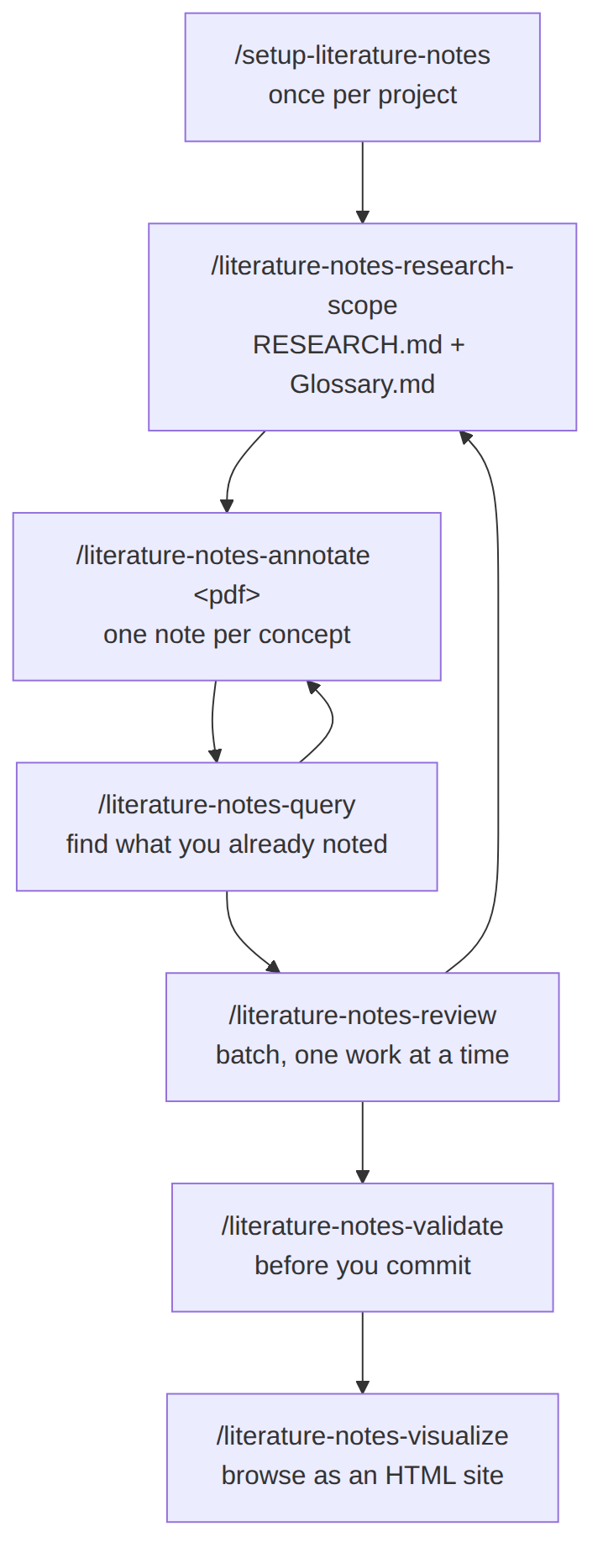
1. The workflow
Run /setup-literature-notes once. After that you loop through scope, read,
query and review, and validate before you commit.
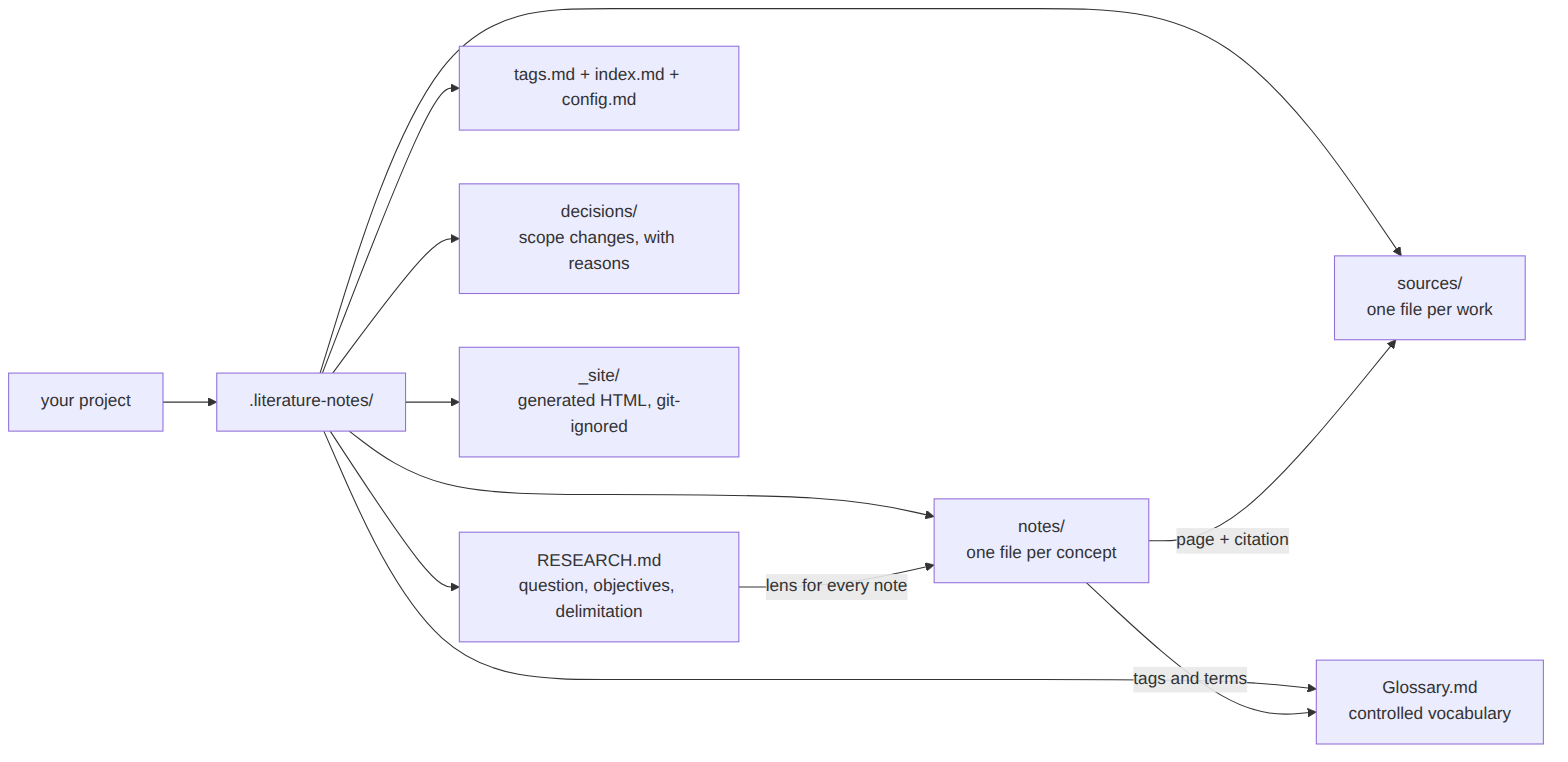
2. What lives on disk
Everything the skills create sits in .literature-notes/ inside your project.
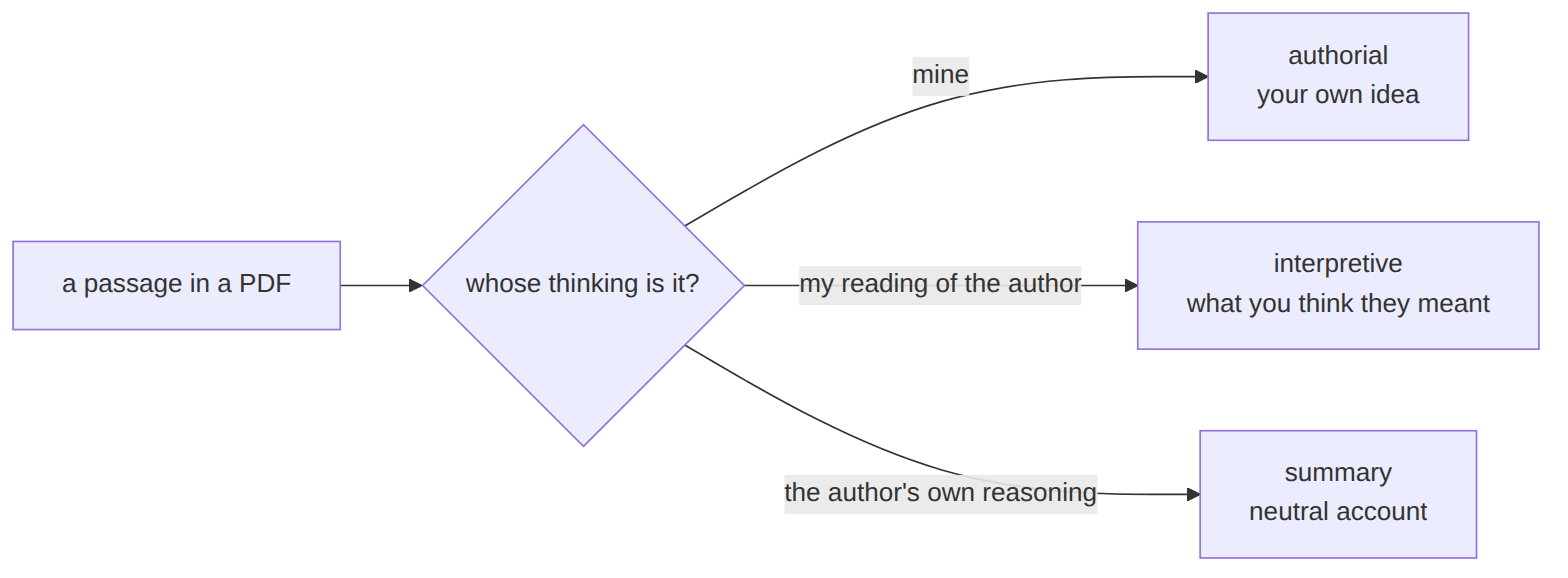
3. The three note kinds
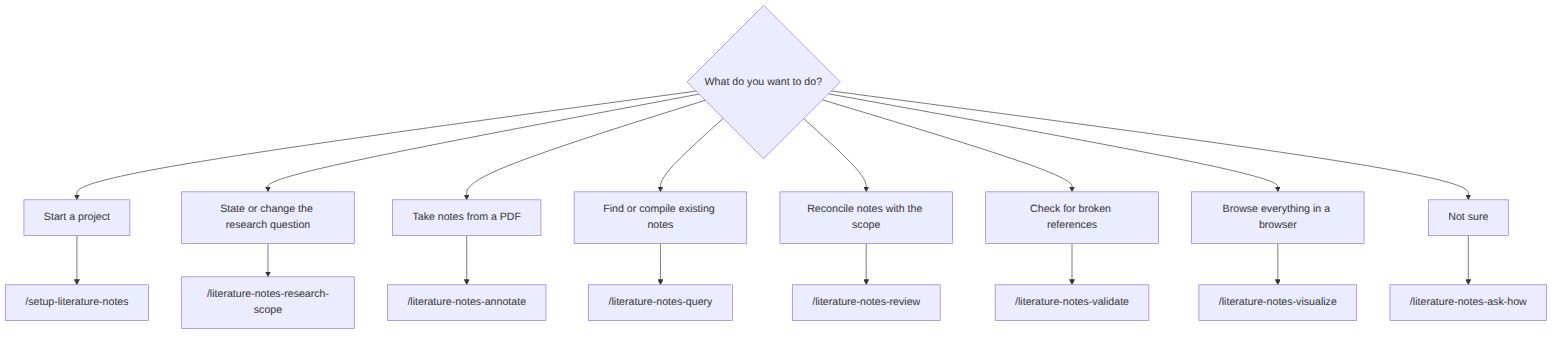
4. Which skill do I need?
Step by step
/setup-literature-notes: once per project. It asks for three things: how cross-references are written (Obsidian wikilinks or plain Markdown links), which citation norm your research follows, and whether you point at PDF pages or printed pages. For the norm, it looks up the rules, shows you a draft file and freezes it only after you approve it./literature-notes-research-scope: state the research question, what is out of scope, and the terms worth pinning down./literature-notes-annotate <pdf-path>: read a source or a page range, filtered by that scope. This is the step you run most./literature-notes-query: search what you already noted. Run it often./literature-notes-review: now and then, batch the notes nobody has reconciled with the scope. It interviews you and updatesRESEARCH.mdandGlossary.mdwhere your answers push them./literature-notes-validate: before every commit. Add--check-quotesto confirm each quote appears on the PDF page you cited.
Not sure where you are? Run /literature-notes-ask-how.
Changing the citation norm later
Re-run /setup-literature-notes to add or switch a norm. Existing notes keep
the citations they have, and each norm lives in its own file, so a bundle can
carry more than one. A bundle made before this setting, with abnt_* fields,
can be migrated: the setup lists what would change and rewrites only when you
confirm.